
How to find saved Instagram posts later
On Instagram, the posts you save live on your profile: tap the menu (☰) in the top right, then Saved. You'll see All posts and any collections you've made. If you save a lot, finding one specific post there usually means scrolling.
Updated
Find your saved posts in the Instagram app
- Open Instagram and tap your profile picture at the bottom right.
- Tap the menu (☰) at the top right.
- Tap Saved.
- Open All posts to see everything, or a collection to see one group.
Instagram moves things around from time to time. If you don't see Saved in the menu, look for it under Your activity.
Sort saves into collections
Collections are folders for your saves, like "Recipes" or "Trips". When you tap the bookmark icon under a post, Instagram offers to add it to a collection. You can also create one from the Saved screen with the + button.
Collections help if you keep them up. Most people stop sorting after a few weeks, and new saves end up in one long list.
Why saved posts get lost
- They only live inside Instagram. A recipe you saved there and an article you saved in your browser never meet.
- Nothing reminds you. A post you saved a year ago stays where it is until you scroll back to it.
- You need to remember how it looked. If you don't remember the account or the picture, it's hard to pick it out of hundreds.
- They can disappear. If the person who posted it deletes it or makes their account private, it leaves your Saved list.
Keep saves you can find again
Bookmerang is a free read-later app that works next to Instagram. Instead of the bookmark icon, use Share:
- Under the post or Reel, tap the share icon (the paper plane).
- Tap Share to… (or More) to open your phone's share menu.
- Pick Bookmerang. You don't need to open the app.
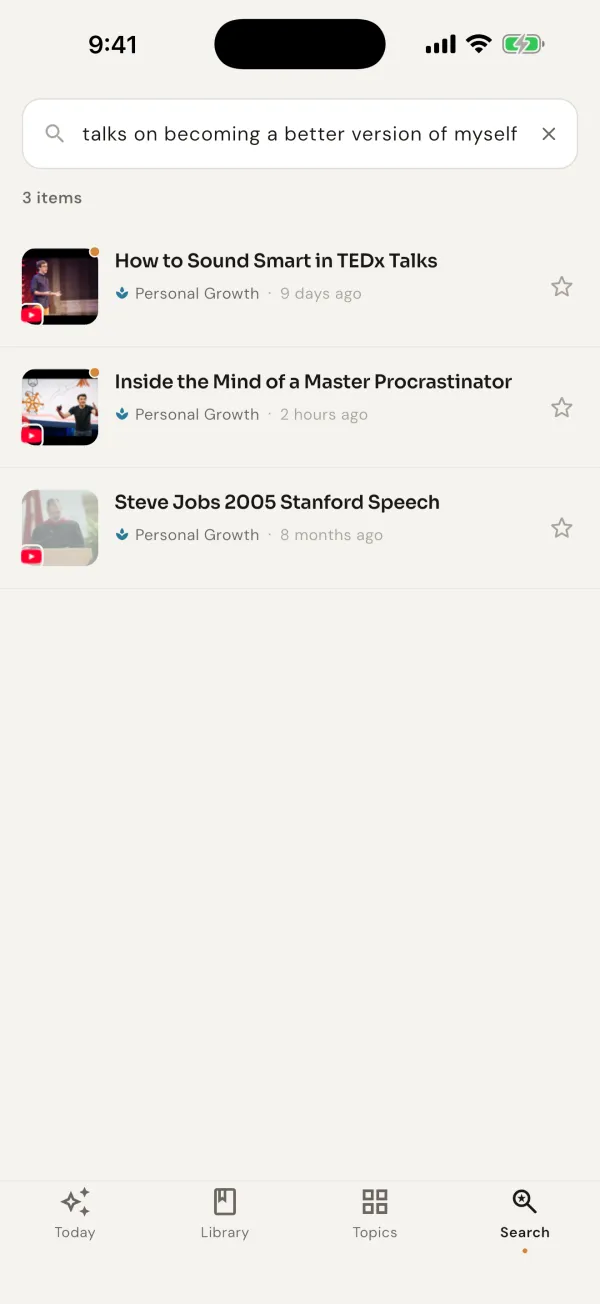
Find it by what it was about
Each Smart Save gets a title and a topic on its own. Later, search the way you remember it — “that pasta recipe with lemon”, “the stretching routine for lower back” — and Bookmerang searches by meaning, not by exact words.
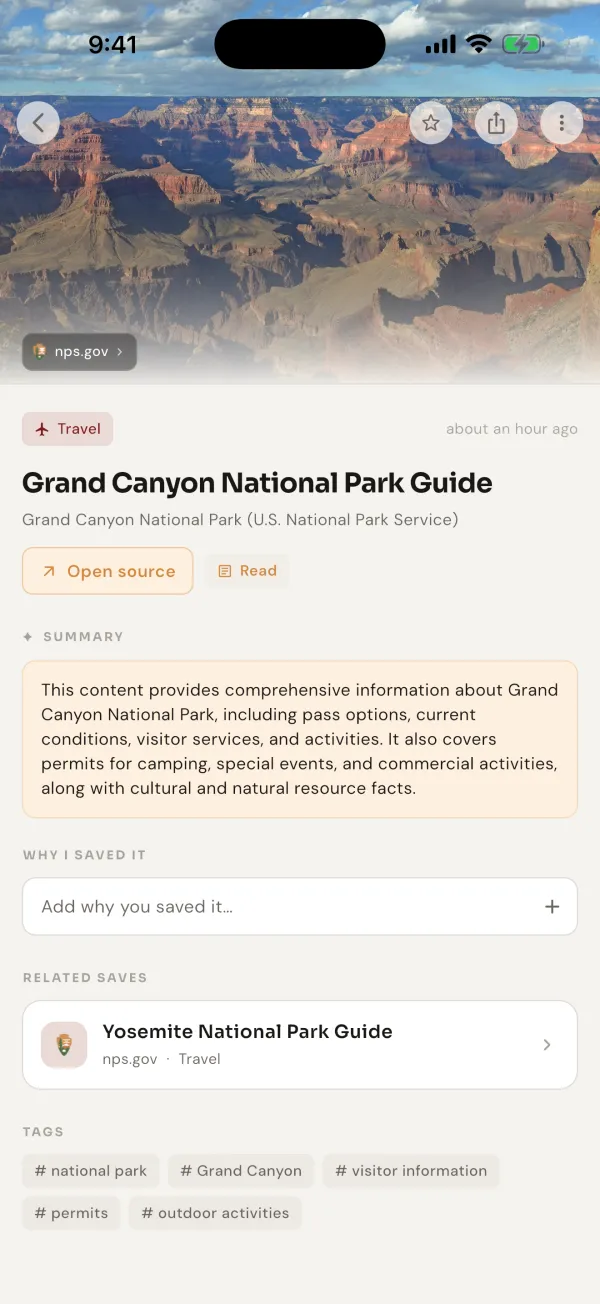
It connects your saves across apps
Open a save and related things you saved before appear below it, wherever they came from. A pasta Reel from Instagram brings up the recipe video you saved on YouTube and the article you saved in your browser. Saves on the same subject also gather under one topic.
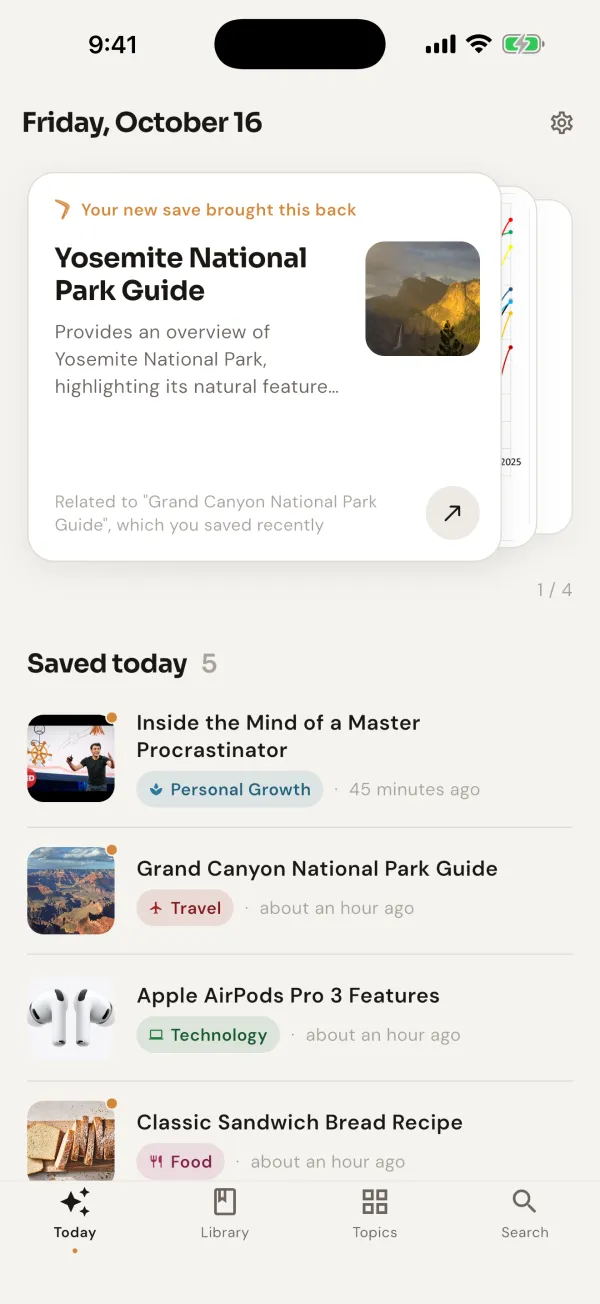
It comes back to you
Every day, Today brings back a few older saves: something from a topic you're into right now, something you saved on this day months ago. When you save something new, a related older save comes back with it.
Want a post back at a specific time? Open it and tap Set a reminder: this evening, tomorrow morning, this weekend, next week or a time you pick.
The free plan includes 30 Smart Saves a month; those get a title, a summary and a topic on their own. After that you can keep saving and pick the topic yourself. Search, related saves, Today and reminders are free. Bookmerang is on iPhone and Android.

 Free on iPhone and Android
Questions
Can other people see the posts I save on Instagram?
No. Your saved posts and collections are private. The person who posted can see how many people saved a post, but not who.
Why did a post disappear from my saved posts?
If the person who posted it deletes it, archives it or makes their account private, it no longer shows in your Saved list. In Bookmerang, the save stays: the title, summary and topic it got when you saved it are kept, even if the original post no longer opens.
Does Bookmerang work with Reels?
Yes. Share a Reel to Bookmerang the same way as a post. It keeps the link and gives it a title and a topic.